Weekly Meal Planner
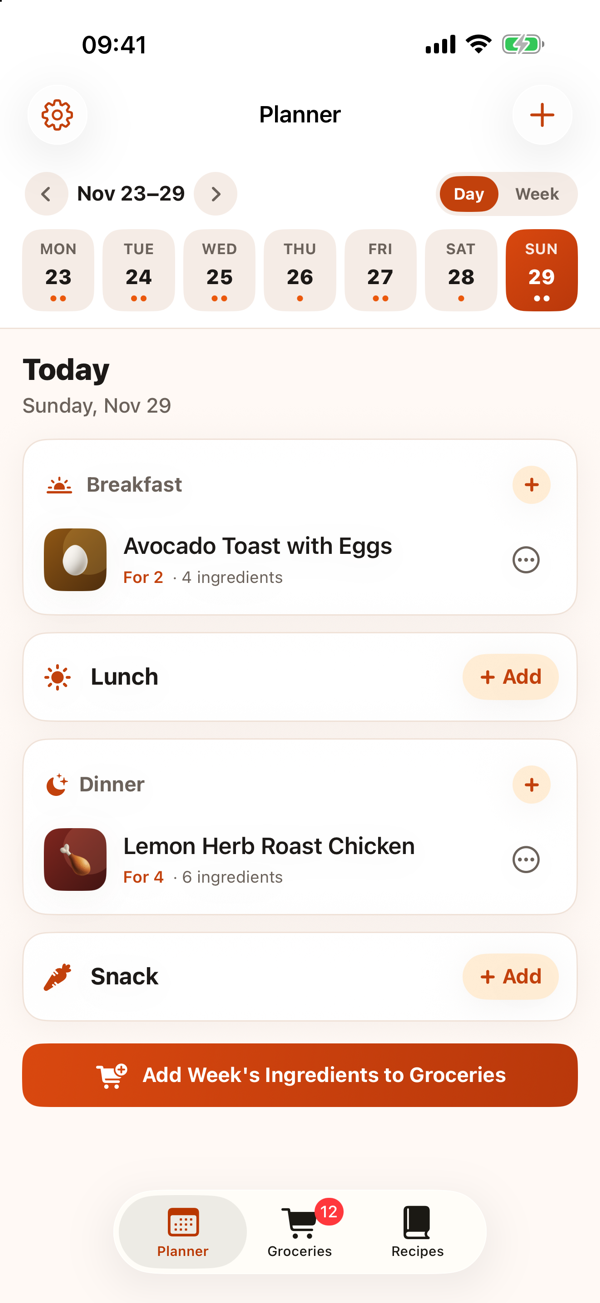
Schedule breakfast, lunch, dinner, and snacks across your week in seconds.
Mise brings your weekly meal planner, aisle-sorted grocery list, and personal recipe book together in one calm iPhone app — with 50+ built-in meals and 290+ visual groceries ready on day one.

Free on the App Store for iPhone · Private & 100% offline.
Everything from Sunday meal prep to checking off your basket in the store.
Schedule breakfast, lunch, dinner, and snacks across your week in seconds.
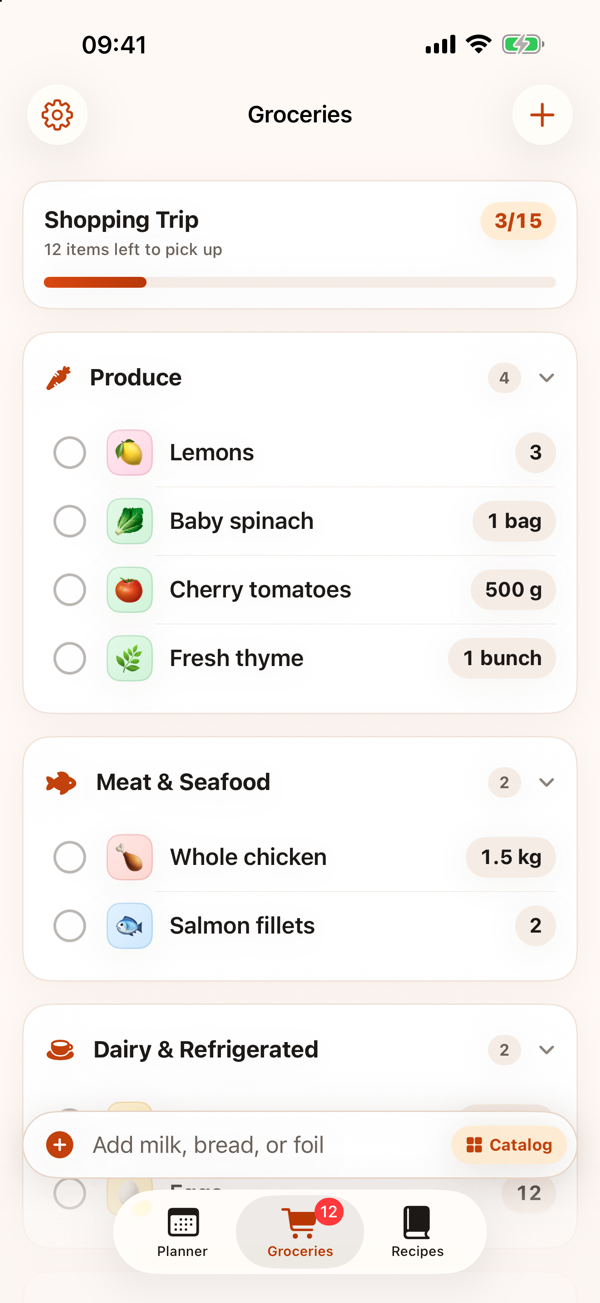
Clean single-line shopping rows that automatically combine duplicate quantities.
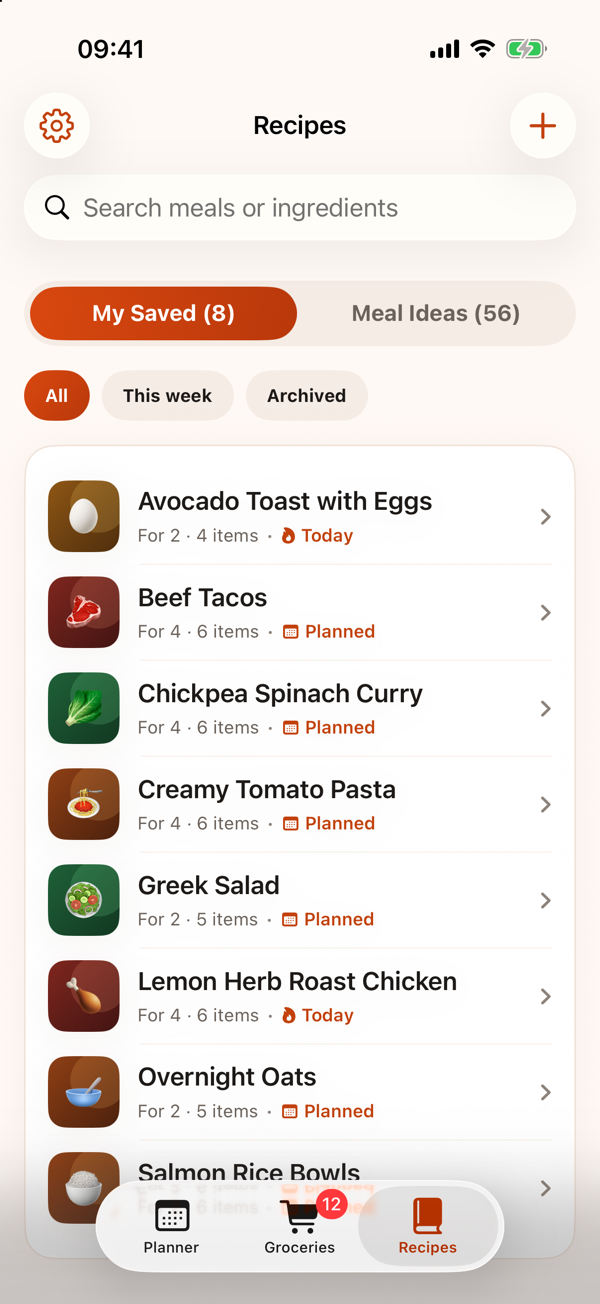
Save family favorites, paste recipes from your clipboard, or pick from 56 meal ideas.
Fast with one hand in a busy supermarket, readable across the kitchen counter.
Start immediately with 56 ready-to-cook meals across 7 categories and nearly 300 illustrated groceries and kitchen prep supplies.
Copy ingredients and steps from Notes, websites, or social captions — Mise structures the title, amounts, and steps instantly.
Step-by-step kitchen mode keeps your iPhone screen awake while you chop, simmer, and plate, with instant US & Metric scaling.
Arrange aisles to match the exact path you walk through your local supermarket so you never backtrack.
No sign-up wall, no cloud tracking, no analytics SDKs, and no ads. Works reliably even inside grocery stores with zero cell reception, with full JSON backup export whenever you want.
No. Mise opens straight to your Meal Planner with zero sign-up, zero tracking, and zero ads.
Tap 'Add Week's Ingredients to Groceries' on your Planner (or on any single recipe). Mise scales servings, sums matching ingredients like garlic or olive oil into one line, and groups everything by store aisle.
Yes, 100%. Every meal plan, recipe photo, built-in catalog item, and grocery list lives locally on your iPhone.
Yes. Open Settings → Export Backup to save a complete JSON file of your recipes, photos, meal plans, and lists to Files or iCloud Drive, and restore anytime.