每周三餐计划
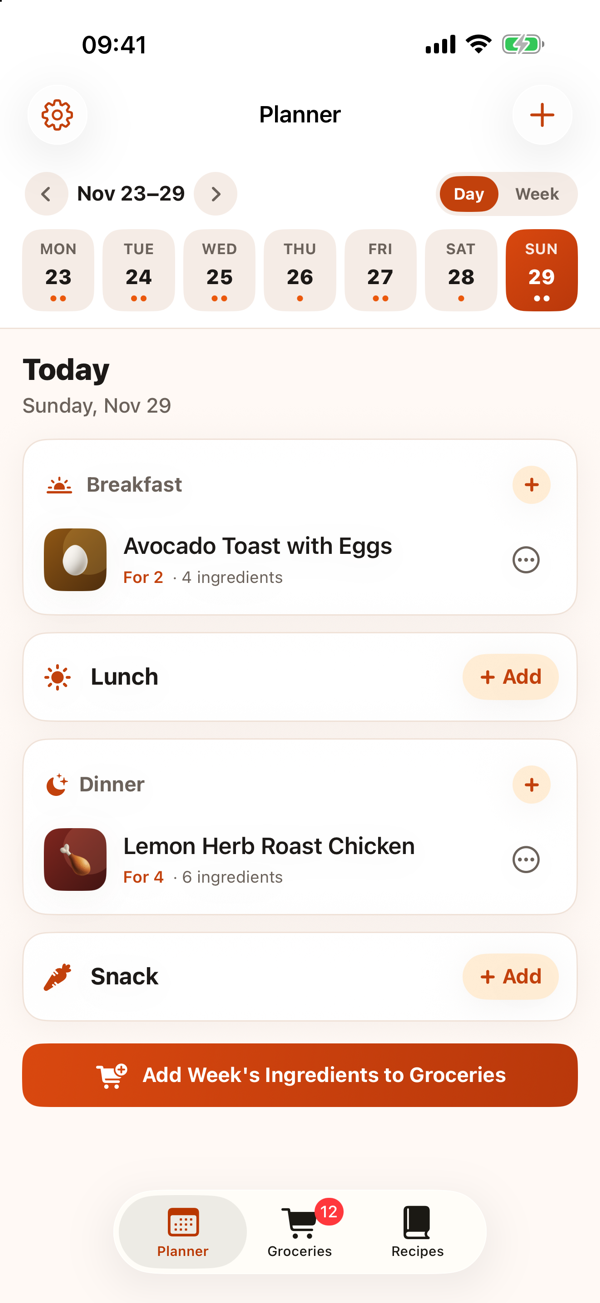
几秒钟安排好整周的早餐、午餐、晚餐与加餐。
Mise 将每周菜单计划、超市分区买菜清单与个人食谱本合而为一,内置 50+ 道家常菜灵感与 290+ 种图文食材。

App Store 免费下载 · 数据 100% 保存在 iPhone 本地。
无论在超市单手勾选还是厨房对照烹饪,都清晰顺手。
几秒钟安排好整周的早餐、午餐、晚餐与加餐。
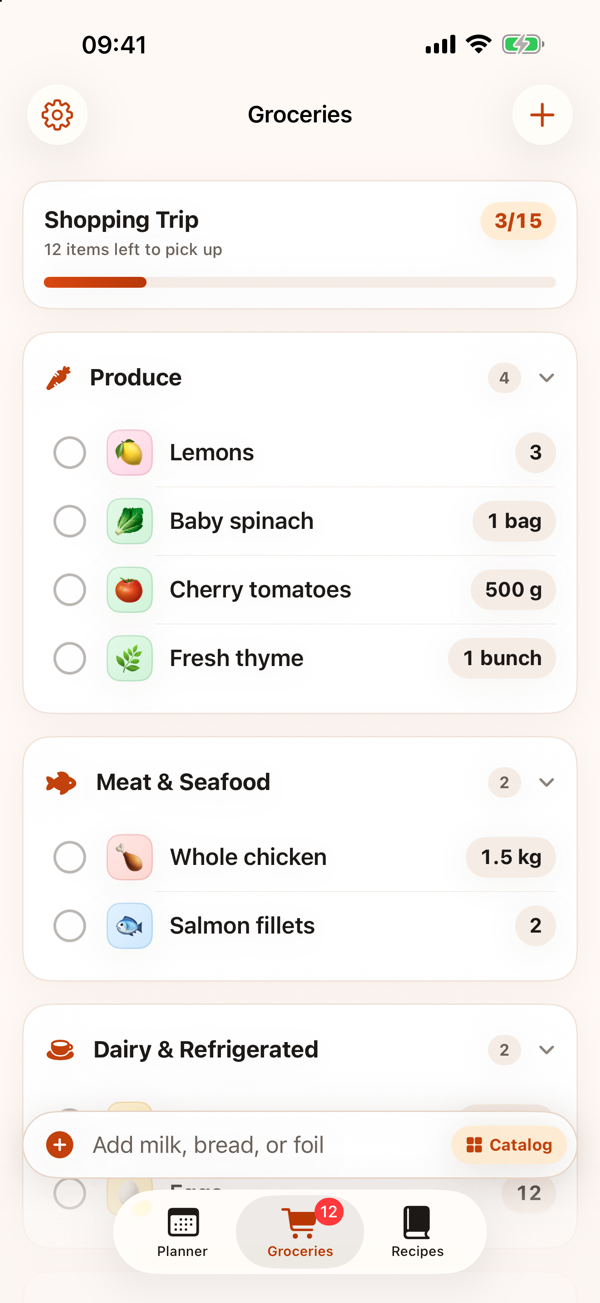
清爽单行列表,自动合并多道菜中的相同食材用量。
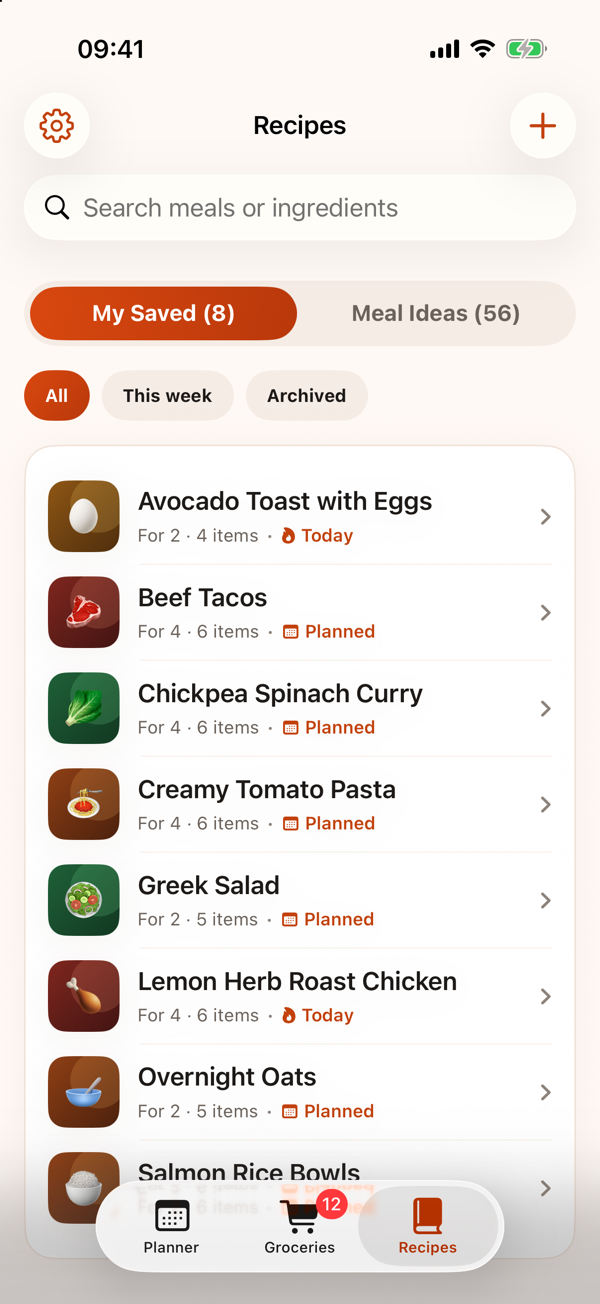
支持剪贴板一键智能粘贴食谱,或从 56 道内置餐食中挑选。
Fast with one hand in a busy supermarket, readable across the kitchen counter.
Start immediately with 56 ready-to-cook meals across 7 categories and nearly 300 illustrated groceries and kitchen prep supplies.
Copy ingredients and steps from Notes, websites, or social captions — Mise structures the title, amounts, and steps instantly.
Step-by-step kitchen mode keeps your iPhone screen awake while you chop, simmer, and plate, with instant US & Metric scaling.
Arrange aisles to match the exact path you walk through your local supermarket so you never backtrack.
无需登录、无云端追踪、无任何广告。即使在没有信号的地下超市也能流畅使用,并支持随时导出 JSON 备份。
No. Mise opens straight to your Meal Planner with zero sign-up, zero tracking, and zero ads.
Tap 'Add Week's Ingredients to Groceries' on your Planner (or on any single recipe). Mise scales servings, sums matching ingredients like garlic or olive oil into one line, and groups everything by store aisle.
Yes, 100%. Every meal plan, recipe photo, built-in catalog item, and grocery list lives locally on your iPhone.
Yes. Open Settings → Export Backup to save a complete JSON file of your recipes, photos, meal plans, and lists to Files or iCloud Drive, and restore anytime.